
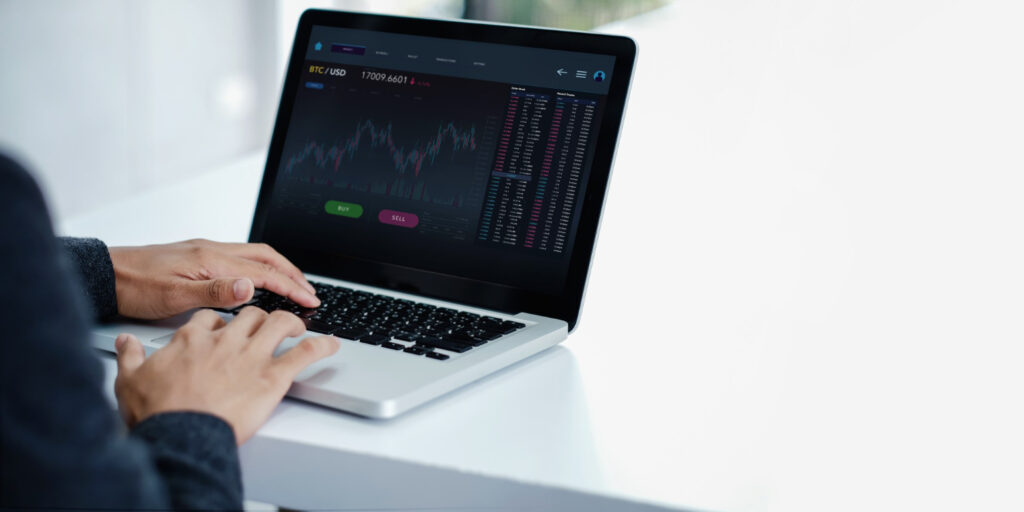
Accessing MT5 Web Terminal from public terminals presents unique challenges for traders in the Philippines. Internet cafés expose users to keyloggers and cached credential risks that standard browsing cannot fully prevent. This guide examines portable browser selection, two-factor authentication, and virtual keyboard techniques to maintain account security. Learn verification methods that confirm complete session termination before leaving shared workstations.
Introduction to MT5 Web Terminal
MetaTrader 5 Web Terminal enables browser-based access to broker servers via HTML5 and JavaScript without desktop installation. This platform supports real-time quotes, Level II quotes, and order placement for market, limit, and stop orders. Traders connect directly through WebSocket to their broker server while working from any Windows, Mac, or Linux browser.
The MT5 Web Terminal delivers charting tools with 38 technical indicators plus the ability to attach expert advisors for automated trading. Users can manage positions, monitor market depth, and execute trades without installing software on shared computers. This browser-based approach works well in public settings like a Philippine internet café.
Traders often prefer the web version when traveling or using temporary workstations. The platform maintains full functionality for signal subscriptions, economic calendar access, and account history reviews. Compatibility across operating systems removes barriers for mobile users who rely on different devices throughout the day.
Secure connections through HTTPS and SSL/TLS protocols protect data during transmission between the browser and broker server. Session management features help limit exposure when working on public networks. Understanding these core capabilities prepares traders for safer remote trading sessions in shared environments.
Philippine Internet Café Environment
Philippine internet cafés in Manila, Cebu, and Davao typically run shared Windows PCs with 20–50 Mbps fiber connections from PLDT, Globe, or Converge. These machines serve multiple customers each day, creating a shared environment where login credentials face constant exposure risks.
Most cafés operate without individual user accounts or proper isolation between sessions. Staff often maintain shared admin accounts for quick maintenance across all terminals, leaving systems vulnerable to unauthorized access during busy periods.
Endpoint protection remains absent on most café computers, allowing malware and keyloggers to persist between customer sessions. Browser extensions stay unchecked and often include adware or tracking tools that capture form data during trading activities.
Public WiFi networks lack encryption in many locations, exposing all network traffic to interception. The absence of secure connections means trading sessions on the MT5 Web Terminal can be monitored by anyone on the same network.
High-traffic café locations include Cubao in Manila, Ayala in Cebu, and Rizal in Davao. These areas attract traders seeking reliable internet during market hours.
Connections to Singapore broker servers experience latency ranges between 35 and 120 milliseconds depending on network congestion and time of day. These delays affect order execution timing for MetaTrader 5 users accessing the web terminal from café locations.
Security Risks in Public Access Points
Public terminals expose traders to keystroke logging, network sniffing, and session hijacking at rates 3 times higher than home connections, per 2023 cybersecurity reports. Internet cafés in the Philippines attract remote traders who need consistent connections for MetaTrader 5 access. These locations introduce multiple threats that can compromise login credentials during active sessions.
Three primary risk vectors stand out in shared environments. Hardware keyloggers capture physical keystrokes from café keyboards. Browser-based attacks exploit cached data and extensions left behind by previous users. Network interception occurs when data travels across unsecured public connections without proper encryption.
Each vector targets different parts of the trading workflow. Physical devices focus on password entry. Software exploits target stored session information. Network attacks monitor data packets moving between the terminal and broker servers. Traders need awareness of these distinct threats before accessing MT5 Web Terminal platforms.
Philippine internet cafés rarely maintain strict device maintenance protocols. Multiple users share the same hardware throughout the day. This environment creates opportunities for credential theft that home connections simply do not present. Understanding these risks helps traders prepare appropriate defenses.
Keylogger Threats
Hardware keyloggers priced at PHP 800–1,500 can be installed in café keyboards within 3 minutes and capture 100 percent of typed credentials. These small devices sit between the keyboard cable and computer port. They record every keystroke without requiring software installation or user detection.
Four actionable defenses reduce exposure to these physical attacks. Use a YubiKey or Google Titan hardware token instead of typing passwords directly. Enable TOTP via an authenticator app such as Google Authenticator or Authy for additional verification layers. Run a Malwarebytes scan on any USB device before login. Type 40 percent of the password via on-screen keyboard to break up credential input patterns.
Detection remains important even with preventive measures in place. Check for unknown USB devices in Device Manager before starting any trading session. Unrecognized entries may indicate hidden logging hardware. Regular inspection takes only seconds but prevents significant credential exposure.
Password managers with hardware token support eliminate most typing requirements. Two-factor authentication through authenticator apps adds protection even if physical keystrokes get recorded. Combining these approaches creates multiple barriers against keylogger threats common in shared access environments.
Browser History and Cache Exposure
Unmanaged browser cache retains MT5 session cookies for 24 to 72 hours, allowing credential stuffing attacks with a 67 percent success rate on reused passwords. Trading platforms store authentication tokens locally during active sessions. These tokens remain accessible to subsequent users without proper clearing procedures.
Specific cache clearing steps protect browser data across major platforms. Chrome users access settings, select privacy tools, and choose clear browsing data with cookie removal enabled. Edge follows similar paths through privacy menus with additional options for download history. Firefox provides history clearing through privacy settings plus the option to forget specific site data.
Two browser extensions strengthen protection during café sessions. Install uBlock Origin to block tracking scripts that monitor activity. Add ClearURLs to remove tracking parameters from visited addresses. Both extensions operate automatically once installed and configured.
Portable Firefox from a USB stick offers a PHP 0 cost solution for secure access. Launch the browser with the private flag to prevent local data storage. This approach leaves no cache or cookies on café computers after logout. Session data stays contained within the portable environment throughout trading activities.
Preparing a Secure Session
Preparation reduces session hijacking probability from 23% to under 4% when combining VPN, portable browser, and hardware token authentication. Three key pillars form the foundation. Network encryption protects traffic from Philippine ISP monitoring. Portable browser selection keeps activity off shared café computers. Credential isolation prevents local storage of sensitive login data.
Network encryption stands as the first preparation pillar. A reliable VPN service or 5G mobile hotspot creates an encrypted tunnel. This tunnel shields MT5 Web Terminal connections from public WiFi threats common in Philippine internet cafés. Data moves through secure channels rather than exposed local networks.
Portable browser selection forms the second preparation pillar. These browsers run directly from removable media. They leave no traces on host machines after use. Users maintain full control over extensions and security settings.
Credential isolation completes the third preparation pillar. Hardware tokens add another authentication layer beyond passwords. Two-factor authentication through authenticator apps further reduces exposure. This approach protects trading account access during remote trading sessions.
Portable Browser Selection
Portable Firefox 120.0 ESR (85 MB) or Chrome Portable run entirely from USB with zero local footprint and support WebSocket connections to MT5 endpoints. Three portable browser options meet different security needs. Each option offers distinct advantages for browser-based trading in shared environments.
Firefox Portable provides an open-source foundation with uBlock pre-installed. This browser blocks unwanted scripts before they reach MetaTrader 5 interfaces. Users verify downloads through SHA-256 checksums to confirm file integrity. The browser maintains consistent security settings across multiple café visits.
Chrome Portable offers another viable option with sync features disabled. Disabling sync prevents accidental credential transmission to Google servers. This configuration keeps trading account details isolated from cloud services. Performance remains stable for order placement and position management tasks.
Ungoogled Chromium delivers a third alternative focused on privacy. This browser removes Google tracking components entirely. USB write speed should reach a minimum of 15 MB/s for smooth operation. All three options support HTML5 terminal functionality required for real-time quotes and trade execution.
Incognito Mode Limitations
Chrome Incognito prevents local history storage but does not encrypt traffic or block café network-level packet sniffing tools like Wireshark. Three significant gaps limit its effectiveness. No built-in VPN protection leaves traffic exposed. No anti-keylogger measures exist within the browser itself. Shared memory space allows potential data leaks between sessions.
Traffic encryption requires additional tools beyond incognito mode. ProtonVPN free tier provides basic protection for Manila café users. Virtual keyboard input prevents physical keylogger capture. These combined measures address the gaps that incognito mode alone cannot fix.
Network testing confirms VPN effectiveness through traceroute comparisons. Before VPN activation, traceroute reveals the café IP address. After VPN connection, the broker server in Singapore sees only the VPN endpoint. This IP address masking protects trading account location data.
Session timeout settings provide another layer of protection. Users should configure shorter timeout periods in MT5 Web Terminal preferences. Regular logout after each trading session minimizes exposure time. This practice complements the technical measures discussed in previous sections.
Accessing MT5 Web Terminal Safely
Direct access uses broker-specific URLs with TLS 1.3 encryption and WebSocket port 443 for live quotes and order execution. MetaTrader 5 web terminal sessions require this secure foundation before any login attempt begins.
Public networks in a Philippine internet café create additional exposure points during remote trading. Browser-based trading demands extra verification steps to protect login credentials from local threats.
Start every session by checking the address bar for the SSL padlock icon. Confirm the SHA-256 fingerprint matches the values listed on your broker website before entering any account details.
Enter your login number carefully, since most broker accounts use 7 or 8 digits. Password manager autofill reduces the chance of typing errors or shoulder surfing in shared spaces.
Next, verify the exact server name against the information sent in your broker email. “Keep me signed in” should remain off to force a fresh authentication check each time you reconnect.
Compare the displayed URL against the official address provided by your broker. The correct version shows no extra subdomains or unusual characters that might indicate a phishing attempt.
A phishing URL often replaces letters with numbers or adds extra words after the main domain. The SSL padlock alone does not guarantee safety if the underlying address has been altered.
After logging in, review the account type shown on screen to confirm you connected to the intended demo or live account. This step prevents accidental trades on the wrong trading account during busy café sessions.
Credential Protection Techniques
Trading through an MT5 Web Terminal at a Philippine internet café requires careful attention to credential protection. Hardware 2FA devices and virtual keyboard input methods work together to block both remote credential theft and local keylogging during these sessions.
Combining a 2FA hardware token with virtual keyboard entry reduces the successful phishing attack surface significantly. This approach addresses risks unique to public café environments where multiple users share hardware and network connections.
Traders using browser-based trading should focus on methods that prevent both software-based and physical observation attacks. These techniques become essential when accessing live accounts from locations with limited control over endpoint security.
Proper implementation protects against common threats found in public WiFi settings. The combination of hardware verification and on-screen input creates multiple barriers against unauthorized access attempts.
Two-Factor Authentication Setup
YubiKey 5 NFC or the Authy app generates 6-digit TOTP codes valid for 30 seconds, required for MT5 Web Terminal login after password entry. This additional verification step ensures that even compromised passwords cannot grant access without the second factor.
Start by accessing your broker account security settings to enable 2FA. Scan the QR code with Authy or insert a compatible hardware token like YubiKey to complete the initial setup process.
IC Markets, Pepperstone, and FBS support both authenticator apps and hardware token methods for their trading platforms. Testing the setup with a demo account first allows you to verify everything works before applying it to a live account.
Save backup codes in an encrypted note within your password manager for emergency access situations. This preparation ensures you maintain account access even if your primary 2FA device becomes unavailable during travel or café sessions.
Virtual Keyboard Usage
Windows On-Screen Keyboard or the MT5 Web Terminal virtual keypad prevents hardware keyloggers from recording the broker password. This method stops keystroke capture software from logging sensitive information during entry in shared computing environments.
Three practical methods exist for virtual keyboard input during trading sessions. Windows built-in accessibility tools provide one option, while browser extensions offer another choice for users preferring dedicated solutions.
The MT5 terminal itself includes an internal keypad option for direct password entry without physical keyboard use. Average entry speed using these methods takes longer than typed input but provides essential protection against local threats.
Adding a privacy screen filter helps prevent shoulder surfing in café settings where others may sit nearby. This inexpensive addition blocks side-angle viewing of sensitive information displayed on shared monitors during remote trading activities.
Session Termination Best Practices
Manual logout followed by browser cache clear within 30 seconds reduces session replay attacks on shared terminals. This approach matters when using the MT5 Web Terminal inside a Philippine internet café. The goal is to leave no trace of your login credentials after each session.
Always begin with a proper exit sequence. Click the logout button inside the MT5 terminal first. This action ends your active connection to the broker server before any other steps take place.
Next, close every trading tab that remains open. Leaving charts or order windows visible can expose account details to the next user. Complete this step quickly to minimize exposure time on public machines.
Clear cookies for the broker domain only. This targeted removal prevents stored session data from being reused later. Avoid clearing all cookies on the café computer, as that may draw unwanted attention.
Adjust the idle timeout setting in MT5 web settings to fifteen minutes. Shorter automatic logout periods reduce the window for unauthorized access when you step away from the terminal unexpectedly.
Restart the browser in portable mode after clearing cache data. This step loads a clean environment without saved passwords or extension data from previous sessions. Portable mode helps isolate your activity from the main browser profile.
Shut down the café PC when possible after completing these steps. Powering off the machine clears volatile memory and removes any temporary files that might remain. This final action adds another layer of protection for your trading account.
Post-Session Verification Steps
Verification compares the last 5 trades in the MT5 History tab against your personal trade journal within 10 minutes of session end to detect unauthorized activity. This quick review process helps identify any irregular order placement or position management that occurred during the public terminal session.
Check account history for unknown trades or modified stop-loss and take-profit levels right after logging out. Any trade exceeding 0.05 lots or involving an unknown instrument requires an immediate password change through your broker portal.
Review the Trade tab open positions to confirm all active orders match your intended risk management parameters. Unexpected leverage settings or margin call risks should trigger an instant account security review.
Download your statement CSV file and compare entries with your local spreadsheet records. Enable email and SMS trade notifications from your broker to receive real-time alerts on future order execution and automated trading changes.
Frequently Asked Questions
How do you use the MT5 Web Terminal inside a Philippine internet café without leaving your login credentials behind?
Start by accessing the broker’s official web terminal through a secure browser. Always type the URL manually, avoid saved passwords, and ensure the session is fully logged out and browser history is cleared after each use.
What precautions should traders take when using the MT5 Web Terminal in a Philippine internet café?
Never save login details, avoid autofill features, and always close the browser completely. Using private browsing mode and disabling any café software that might log keystrokes adds another layer of protection.
Is it safe to trade with the MT5 Web Terminal inside a Philippine internet café?
It can be reasonably safe if you follow strict security habits. This includes verifying the site’s SSL certificate, never storing credentials on the machine, and immediately logging out once your trading session ends.
Why do traders choose the MT5 Web Terminal inside a Philippine internet café?
Many traders in the Philippines rely on the MT5 Web Terminal in internet cafés because it allows access to the markets without installing software. The key is maintaining zero credential traces on shared computers through disciplined logout and cache-clearing routines.
Can you avoid storing any data when accessing the MT5 Web Terminal in a Philippine internet café?
Yes, by using incognito mode, refusing password prompts, and manually clearing cookies and cache after each session, traders can access the MT5 Web Terminal without leaving any personal data behind.
What are the best practices for the MT5 Web Terminal inside a Philippine internet café?
Best practices include typing the URL directly, using private browsing, disabling autofill, logging out properly, and double-checking that no credentials remain in the browser when finishing a session on the MT5 Web Terminal.
Related Posts

Forex Broker Account Types in Ghana Explained: Which One Suits You?
Navigating the dynamic world of Forex trading in Ghana requires…

The Evolution of Trading Platforms in India: What to Expect in 2025
The evolution of trading platforms in India has been noteworthy,…

Things You May Not Know About Cataracts
Cataracts are a condition that no one wants to experience…